
FACTS® SIS Data Integration
Empower your private or faith-based school with automated master scheduling linked directly to FACTS® Student Information System.
FACTS® Seamless Integration: Supercharge Your FACTS® SIS
USA Scheduler naturally complements your FACTS® environment, unlocking powerful automation to optimize your master schedule.
Our direct API bridge allows staff to leverage advanced load-balancing and conflict resolution tools while keeping FACTS® as your secure data backbone.
Experience effortless, data-driven scheduling that saves time and empowers your educators.
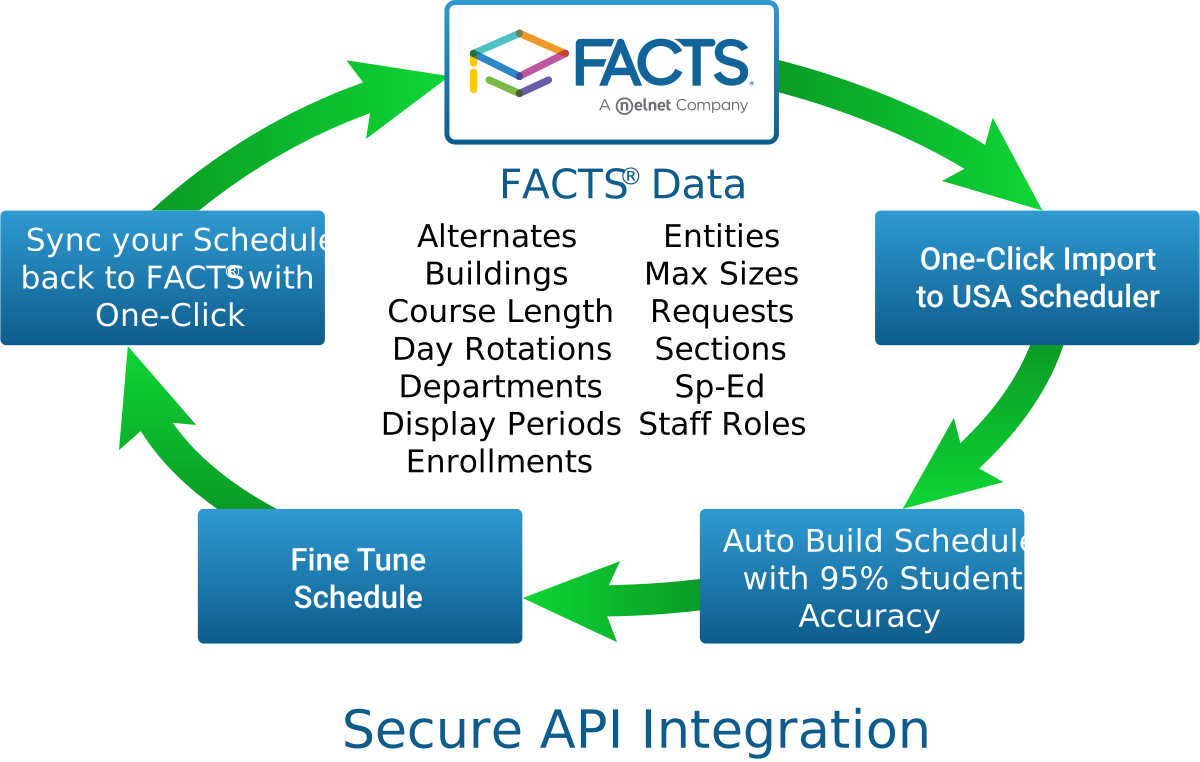
Streamline Private School Master Scheduling with FACTS®
Private and independent schools using FACTS® (formerly RenWeb) often face unique scheduling challenges — such as multi-grade electives, part-time faculty, chapel periods, and shared campus spaces. USA Scheduler connects seamlessly with FACTS®, allowing academic directors to build conflict-free schedules in hours instead of weeks.
Direct FACTS® Student Request Import
Import student course selections directly from FACTS® SIS with full preservation of course numbers, term codes, and grade levels.
Part-Time & Shared Faculty Constraint Engine
Easily configure part-time teacher block preferences, chapel period holds, and science laboratory constraints.
Instant FACTS® Schedule Export
Export completed master schedule section assignments and student period rosters back into FACTS® with total data accuracy.
FACTS® Integration
Private & Charter Solution
- 100% Compatible with FACTS® Student Management
- Handles Block, Traditional, and Hybrid Schedules
- Supports Multi-Grade & Cross-Enrolled Courses
- Free Evaluation with Your School's FACTS Data
Ready to Save Your District Time & Money?
Get an optimized schedule with 95%+ accuracy on your first build with USA Scheduler.